Build a Flutter Phone Dialer with Call History
- Flutter
- Mobile Development
- Lautaro Lobo
- 21 Oct, 2026
While refreshing some Flutter stuff, I came up with a silly Phone Dialer app. We’ll cover the required Android permissions and the lazy-loading pattern, plus a wave animation you can reuse!
What You’re Building
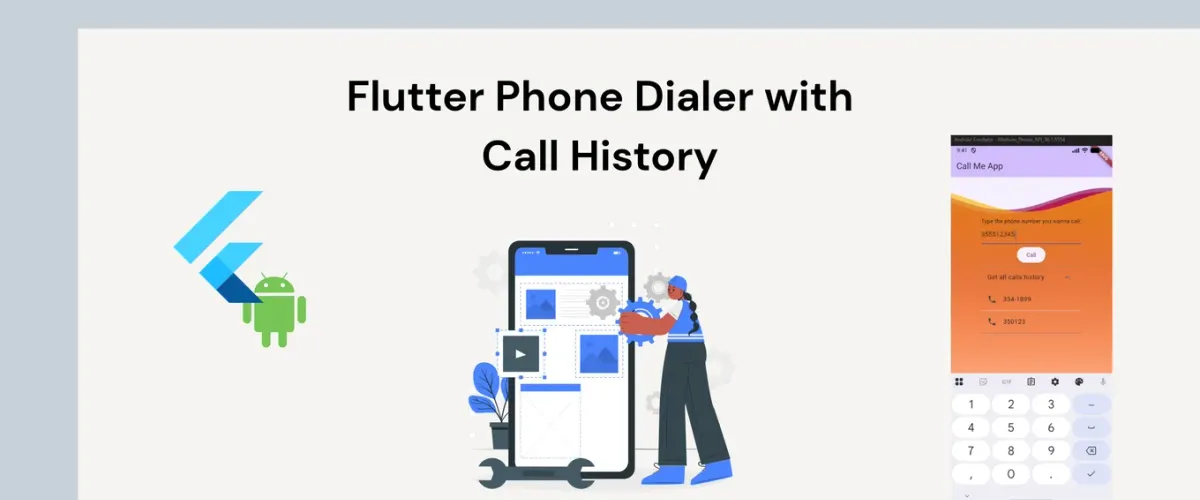
The final app has a text field accepting a phone number, with a Call button that dials it using the system phone app, and an expandable tile that fetches and displays the device’s full call log.
Here’s an overview of the widget tree:
Scaffold
├── AppBar ("Call Me App")
└── Body: Stack
    ├── Background (WaveWidget — full-screen, animated)
    └── Center > Padding > Column
        ├── Text prompt
        ├── TextField (number input)
        ├── ElevatedButton ("Call")
        └── ExpansionTile ("Get all calls history")
            └── ListView of CallLogEntry items
Dependencies
Add these three packages to your pubspec.yaml:
dependencies:
  flutter:
    sdk: flutter
  url_launcher: ^6.3.2
  call_log: ^6.0.1
  wave: ^0.2.5
Run flutter pub get. The two you’ll interact with most are url_launcher (dialing) and call_log (reading device history). We’ll use the wave package to add a dynamic background.
The App Shell
The entry point and root widget are straightforward:
void main() {
  runApp(MyApp());
}

class MyApp extends StatefulWidget {
  const MyApp({super.key});

  @override
  MyAppState createState() => MyAppState();
}

class MyAppState extends State<MyApp> {
  @override
  Widget build(BuildContext context) {
    return MaterialApp(
      title: 'Call Me',
      theme: ThemeData(
        colorScheme: ColorScheme.fromSeed(seedColor: Colors.deepPurple),
      ),
      home: const MyHomePage(title: 'Call Me App'),
    );
  }
}
MyApp is a StatefulWidget at the root, giving you room to inject app-level state later without restructuring. The deepPurple seed color propagates through the Material theme automatically; the AppBar tint, button colors, and focus states all derive from it.
Dialing a Phone Number
The actual dialing logic is three lines:
Future<void> _makingPhoneCall(String telNumber) async {
  var url = Uri.parse('tel:$telNumber');
  if (!await launchUrl(url, mode: LaunchMode.externalApplication)) {
    throw Exception('Could not launch $url');
  }
}
url_launcher uses the tel: URI scheme, similar to href="tel:" in HTML, it directs to the native phone dialer. Passing LaunchMode.externalApplication allows it to go outside of the app instead of trying to handle it inside your app. If the device can’t handle it (emulators without a phone app, for example), the method throws a descriptive exception.
The button that triggers it reads the current value of the TextEditingController and passes it directly:
ElevatedButton(
  child: const Text('Call'),
  onPressed: () {
    String phoneNumber = numberController.text;
    _makingPhoneCall(phoneNumber);
  },
),
Lazy-Loading the Call Log
The call history is not fetched on startup; it’s fetched the first time the user expands the tile. After that, it’s cached in state and never re-fetched.
The state setup is minimal:
Iterable<CallLogEntry> _callLogEntries = <CallLogEntry>[];
bool _showCallLog = false;
The ExpansionTile drives everything through its onExpansionChanged callback:
onExpansionChanged: (expanded) async {
  if (expanded && _callLogEntries.isEmpty) {
    // Only hit the platform channel once
    final Iterable<CallLogEntry> result = await CallLog.query();
    setState(() {
      _callLogEntries = result;
    });
  }
  setState(() {
    _showCallLog = expanded;
  });
},
The if (expanded && _callLogEntries.isEmpty) prevents redundant platform channel calls on every toggle/tap after the first fetch. We store the data in _callLogEntries for the widget’s lifetime.
This pattern (fetch once, cache in state) transfers easily to other apps. Load it when asked, keep it in state, never ask for it again. Use it any time you have data that’s expensive to fetch.
I added a small animation to signal the open/closed state:
trailing: AnimatedRotation(
  turns: _showCallLog ? 0.5 : 0.0,        // 0.5 turns = 180°
  duration: const Duration(milliseconds: 400),
  child: const Icon(Icons.expand_more),
),
We can render the entries with a Dart trick worth saving:
_callLogEntries.toList().asMap().entries.expand((entry) {
  final isLast = entry.key == _callLogEntries.length - 1;
  return [
    ListTile(
      leading: const Icon(Icons.phone),
      title: Text(entry.value.formattedNumber ?? 'Unknown'),
    ),
    if (!isLast) const Divider(height: 1),
  ];
}).toList(),
.asMap() converts the list to a Map<int, CallLogEntry> so you get the index alongside each entry. .expand() flattens the list, and each entry produces a ListTile and optionally a Divider. The last item gets no divider, so the list doesn’t end with a trailing separator line.
Android Permissions
For call_log to work on Android, you need to declare the READ_CALL_LOG permission in android/app/src/main/AndroidManifest.xml:
<uses-permission android:name="android.permission.READ_CALL_LOG"/>For url_launcher to open the phone dialer, add:
<queries>
  <intent>
    <action android:name="android.intent.action.DIAL" />
    <data android:scheme="tel" />
  </intent>
</queries>
Without the <queries> block, Android 11+ will block the app from detecting whether a phone dialer is available (package visibility restrictions).
Extra: Animated Wave Background
The Background widget is completely decoupled from the rest of the app. It’s a StatelessWidget that renders a WaveWidget filling the entire screen:
class Background extends StatelessWidget {
  const Background({super.key});

  @override
  Widget build(BuildContext context) => WaveWidget(
    config: CustomConfig(
      gradients: [
        [
          Color.fromRGBO(255, 60, 0, .3),
          Color.fromRGBO(255, 34, 0, .5),
          Color.fromRGBO(255, 0, 0, .8),
        ],
        [
          Color.fromRGBO(255, 0, 25, .2),
          Color.fromRGBO(180, 0, 70, .5),
          Color.fromRGBO(130, 0, 90, .7),
        ],
        [
          Color.fromRGBO(255, 213, 0, .2),
          Color.fromRGBO(255, 191, 0, .4),
          Color.fromRGBO(255, 179, 0, .7),
        ],
      ],
      durations: [11000, 66000, 33000],   // each wave has its own loop duration
      heightPercentages: [0.03, 0.01, 0.02],
      gradientBegin: Alignment.bottomCenter,
      gradientEnd: Alignment.topCenter,
    ),
    size: const Size(double.infinity, double.infinity),
    waveAmplitude: 25,
    backgroundColor: const Color.fromRGBO(245, 240, 255, 1),
  );
}
The mismatched durations mean the waves drift in and out of sync, creating a dynamic background.
The Stack in the main scaffold places Background first (rendered at the bottom of the stack, behind everything else):
body: Stack(
  children: [
    const Background(),   // full-screen wave, behind UI
    Center(
      child: Padding(...),  // the actual controls, on top
    ),
  ],
),
Because Background is a StatelessWidget with no connection to the rest of the state tree, rebuilds triggered by setState in _MyHomePageState never cause the wave animation to restart.
Wrapping Up
In under 220 lines of Dart, we covered:
- Platform channel bridge via
url_launcherfor system dialing - Device data access via
call_logwith a lazy-fetch pattern - State isolation through widget separation: the
Backgroundwidget’s animation is unaffected by UI state changes - And Implicit animations with
AnimatedRotationandWaveWidget(without anAnimationController)
What’s Next
- Add runtime permission requests using
permission_handlerbefore querying the call log - Display call type (incoming, outgoing, missed) and duration using
CallLogEntry.callTypeandCallLogEntry.duration - Add a search bar to the call history
- Add a Regular Expresion check for valid phone numbers, with an error message
Cover image includes People illustrations from Storyset